A social media caption is the text written next to a post that gives the photo, video, or carousel its meaning, helps the algorithm understand the topic, and gives the audience a clear next step.
What is a social media caption?
A social media caption is the writing that sits alongside a post. Under the photo on Instagram, beside the video on TikTok, above the article preview on LinkedIn, after the image on X. The caption is what turns a visual into a piece of communication. The image grabs the eye, the caption tells the reader what the post is about and what to do next.
Captions are doing more work than they were ten years ago. The ranking system on every major platform uses the caption as one of several signals, alongside watch time, audio, visual recognition, and engagement, to work out the topic and the relevance of the post. The opening line matters because it shapes the early engagement signals that distribution then builds on. The caption is also often the part the audience screenshots and shares when the post lands, which means it carries the brand voice on its own once it leaves the original feed.
A good caption does three jobs at once. It earns the click on the more button or the swipe to the next slide. It names the topic clearly enough that the algorithm puts it in front of the right audience. It gives the reader an obvious next action, whether that is save, share, reply, tap the link, or just nod and keep scrolling with the brand a little more present in their head.
What is the difference between a caption and a closed caption?
Both are called captions, and the overlap is the reason this glossary page exists at all. They do different jobs and live in different places.
Social media caption
The editorial text the creator writes next to the post. It sits in the caption field, supports the visual, and helps the ranking system place the post in front of the right audience. This is the caption marketers and creators are talking about most of the time.
Closed caption (CC)
The synchronised transcript of speech, music, and sound effects shown over a video so it can be watched on mute. Closed captions are an accessibility feature, generated by the platform automatically or uploaded as an SRT or VTT file by the creator.
Open caption
A caption burned into the video frame itself, so it shows for every viewer with no way to switch it off. Open captions are common on TikTok, Reels, and Shorts, where they are sometimes called burned-in subtitles.
Subtitle
A specific kind of closed caption that translates spoken dialogue into another language. Subtitles assume the viewer can hear the sound effects and only need the words translated.
Strong short-form video uses both at the same time. The closed or open caption keeps the video watchable on a silent feed, and the social media caption underneath gives the post its meaning, its topic context, and its call to action.
How long should a caption be on each platform?
Every platform has a hard character limit and a softer practical sweet spot. The limit is what the field accepts. The sweet spot is the length that the audience and the algorithm both reward.
Up to 2,200 characters per caption, with hashtag recommendations now sitting around three to five rather than the long lists people used to stuff in. The official reference is Instagram's help on adding a caption. The practical sweet spot for feed posts is 80 to 150 characters for quick reads and 500 to 1,500 characters for long-form storytelling captions that earn saves. Only the first 125 characters show before the more link cuts in.
TikTok
Captions can run up to roughly 4,000 characters now, but most successful videos sit between 100 and 300 characters. TikTok also indexes caption text for in-app search, so a clear topic word or two in the first line helps the video show up when people search the subject, not only when it plays in their feed.
X (formerly Twitter)
280 characters for standard accounts, with longer posts available on paid tiers. Most engagement still happens inside the original 280-character limit, and replies, quotes, and reposts treat that as the working ceiling.
Up to 3,000 characters in the main feed post field. The platform rewards long-form captions when the topic is worth it, with the first three to four lines visible before the see more link, so the hook needs to land before the cut-off.
Up to 63,206 characters, which nobody is going to use. The practical sweet spot for organic posts is one to two short paragraphs, and ads inside Ads Manager have their own preview crop that hides anything past about 125 characters on most placements.
Threads
Up to 500 characters per post, with longer threaded replies that keep the conversation going. Captions on Threads tend to read more like X posts than Instagram captions, with a quicker, punchier rhythm.
YouTube
Up to 5,000 characters in the video description, plus a 100-character title. The first 150 characters of the description show above the fold under the video, so the front of the description is essentially the caption.
Up to 500 characters in the Pin description, with a separate 100-character title. Pinterest captions act more like SEO copy, because the description is also a search signal.
Treat the limits as ceilings and the sweet spots as defaults. Writing every caption to the maximum length is not the same as writing a caption the audience actually finishes.
How do you write a good social media caption?
Most strong captions follow the same shape. The pattern is small enough to hold in your head and flexible enough to use for almost any post.
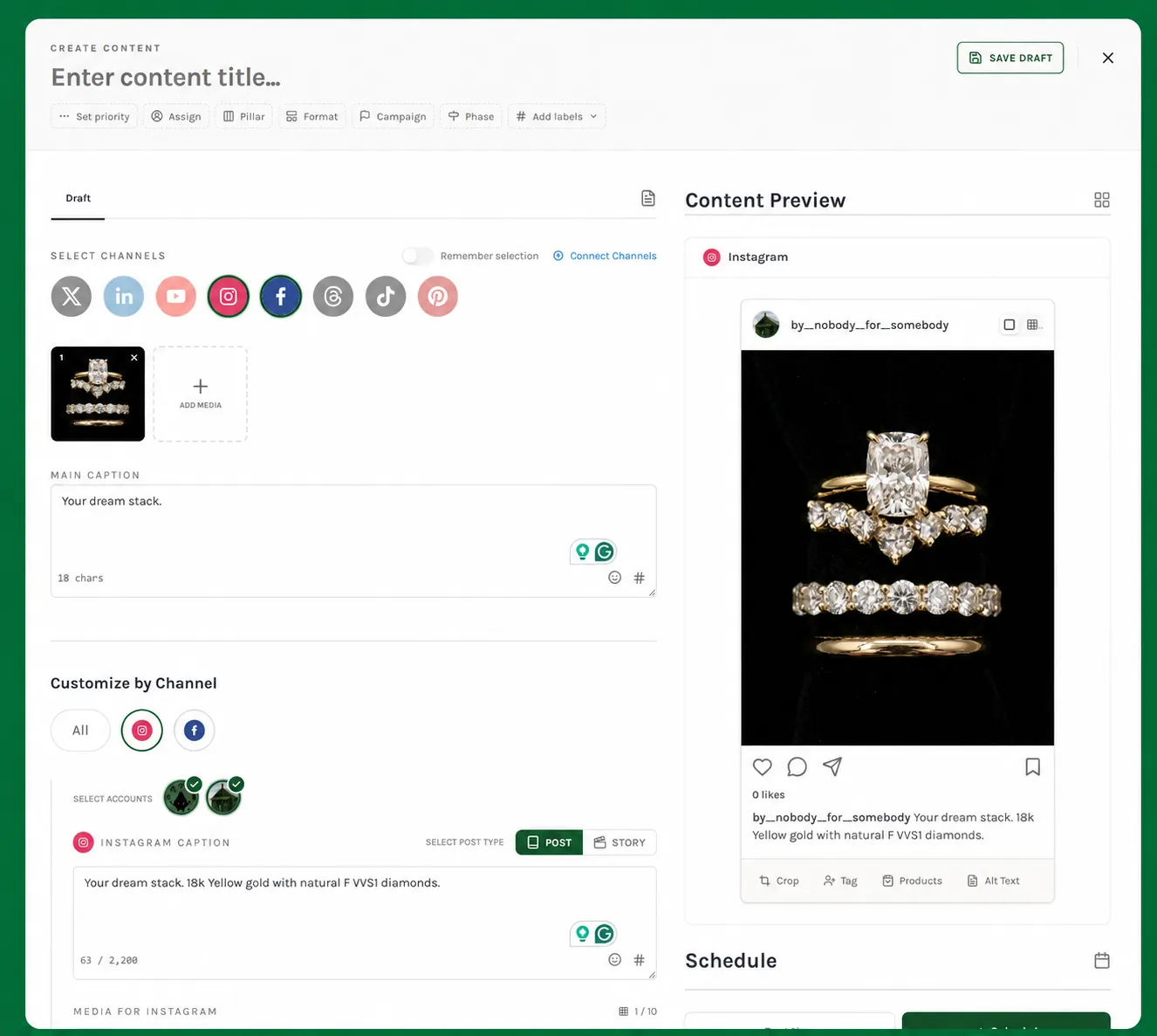
- Open with a hook. One line that earns the second line. A question, a sharp opinion, a number, a surprise, or the most useful detail in the post said in plain words.
- Name the topic in the first 80 characters. The part the feed shows before the more link cuts in. Make a clear topic word or two visible there, both for the reader and for the ranking and search systems.
- Deliver one idea, not five. Captions that try to cover three things at once read like loose notes. Pick the most interesting one and write it well.
- Write the way you talk. Long, breathing sentences usually beat short ones stacked for effect. If a line would sound odd read aloud, the audience reads it the same way.
- Add a call to action that fits. Save this, share with someone who needs it, tell me what you think in the comments, tap the link in bio. One ask, not three.
- Use hashtags sparingly. Three to five relevant hashtags is the working default on Instagram and LinkedIn. TikTok tolerates a few more because the same hashtags feed in-app search. Keep them at the bottom of the caption or in the first comment so they do not fight with the writing.
- Edit the last line as carefully as the first. The last line is what people remember and what they screenshot. It carries the brand voice once the post leaves the feed.
Caption writing also benefits from being planned alongside the rest of the post rather than typed in at the moment of publishing. Writing captions in a batched session with the visuals open lets the words and the image work as one unit, which is harder to do at 9pm in the native app.
What do strong social media captions look like?
Useful caption examples sit next to the kind of post they go with. Without the post, a caption is just a sentence. With it, the same sentence does a job.
Product launch caption (Instagram, mid-length)
Hook the first line on the single most interesting detail about the product. Spend the next two paragraphs on the story behind it, the problem it solves, and the price. Close with one ask, usually the link in bio or a comment-to-DM trigger. Five hashtags at the bottom, no more.
Educational carousel caption (Instagram or LinkedIn)
Open with a sharp claim that the carousel will defend. Tease the takeaway readers will get from swiping. End with save this for later as the primary CTA. The save rate is the metric this caption is really written for.
Short-form video caption (TikTok or Reels)
Keep it under 150 characters in most cases. Use the caption for context the video does not give, not as a second narration of what the video already shows. The first few words also feed in-app search on TikTok, so a plain topic word at the front pays off twice.
Thought-leadership caption (LinkedIn, long-form)
Open with one specific scene or sentence that pulls the reader past the see more cut-off. Use short paragraphs with white space between them. End with a question that invites a comment the audience would actually want to write.
Promotional caption (X, short-form)
One line of value, one line of proof, one link. The whole post fits inside 280 characters and reads as if it could be a normal post rather than an ad. Hard sells under-perform on X almost every time.
Reactive caption (any platform)
Tied to a moment, a trend, a news cycle, or a piece of culture. Skip the throat-clearing intro, name the moment in the first six words, and add the brand's take in the rest. Reactive posts live or die on the speed and the angle.
Strong captions are also part of a bigger system. The caption sits on top of a post, the post sits in a content pillar, the pillar feeds a goal that the brand awareness or conversion work is trying to move. A great caption attached to a post that does not fit any of that is a one-time win.
What mistakes should you avoid with social media captions?
Most caption mistakes show up in three places: the hook, the clarity of the topic, and the call to action. Get those right and the rest of the caption can be ordinary and still work.
Burying the topic
A caption that takes five lines to get to the subject loses both the reader and the ranking system. Name the topic early so the algorithm knows what to do with the post.
Generic openers
Happy Monday, hey guys, in today's fast-paced world. The hook is the only line that earns the second line, and a generic one means no second line gets read.
Adjective stacking
Powerful, seamless, intuitive, robust. Audiences tune the line out before they have finished reading it. Replace the stack with one concrete thing the product actually does.
Hashtag overload
Twenty hashtags in one caption is a 2019 tactic. Three to five relevant ones is the working default on Instagram and LinkedIn, with TikTok tolerating a few more because hashtags also feed its search. The rest reads as spam to both the audience and the ranking systems.
Three calls to action
Comment, share, save, tap the link, follow, sign up. The reader has to pick, and three asks usually means none get done. One specific CTA per post, every time.
Same caption across every platform
A 2,000-character LinkedIn caption pasted unedited onto X reads like a wall. Caption per platform, even if the rough idea is the same.
Writing the caption last
Captions typed in at the moment of publishing tend to be the weakest part of the post. Plan the caption alongside the visual, then edit it the next morning before scheduling.
Social media caption FAQ
How long should a social media caption be?
It depends on the platform and the job. Instagram and Facebook captions tend to do best between 80 and 150 characters for quick scroll-stoppers, with long-form captions earning more saves and shares when the topic warrants it. LinkedIn rewards captions that run to 1,000 to 1,500 characters when the post is sharing a story or an opinion. X caps you at 280 characters by default, and TikTok captions sit around 100 to 300 characters for most viral videos.
What is the difference between a caption and a closed caption?
A social media caption is the text the creator writes next to a post. A closed caption is the transcript of speech and sound shown over a video so it can be watched with the audio off. Both are called captions, but one is editorial and one is accessibility text. Most short-form video posts now carry both, because closed captions lift watch time on muted feeds.
Should a caption include hashtags?
Yes, sparingly. Three to five relevant hashtags is the modern default on Instagram and LinkedIn, with TikTok comfortably tolerating a few more (around three to eight) because hashtags also feed TikTok's in-app search. Hashtag stuffing was an early-2020s growth tactic that now tends to perform worse than a small set of relevant ones, and a caption packed with twenty hashtags reads as spammy to both the audience and the ranking systems.
Do captions affect the algorithm?
Yes, indirectly. Captions are one of several signals the ranking system uses (alongside watch time, audio, visual recognition, and engagement), and they carry most of the topic context on posts where the video or image alone is harder to classify. A caption that names the topic plainly tends to reach the right audience faster than a clever one-liner with no obvious subject.
Should you use AI to write captions?
AI is fine for drafts, rewrites, and getting unstuck. It is poor at sounding like the brand on its own. The pattern that works is a human-written hook and a human-edited final pass, with AI in the middle as a writing partner rather than as the author. Captions that go out untouched by a human almost always read like they did.