Social media analytics is the practice of collecting, reading, and acting on data from social platforms so you can understand what your content is doing, who it is reaching, and whether it is helping the business, creator, or community goal behind the account.
What is social media analytics?
Social media analytics is the process of turning social platform data into useful judgment. The data might be simple, like likes, comments, reach, impressions, link clicks, or follower growth. It can also be deeper, like watch time, audience demographics, sentiment, response time, campaign conversions, and which content formats keep earning attention after the publish day has passed.
The important word is analytics, not data. Data is the pile of numbers each platform gives you. Analytics is the part where you compare those numbers against a goal, find the pattern, and decide what changes in the next post, next campaign, or next report. Without that step, the dashboard is mostly a very tidy way to procrastinate.
In practice, a social media manager might use analytics to find the posts that brought in new people, the videos that held attention, the link placements that drove traffic, and the topics that caused useful replies. A creator might use the same habit to decide which series to continue, which hook fell flat, and which platform deserves the next afternoon of work.
Why does social media analytics matter?
Social media has a habit of making loud numbers feel important. A post can get a lot of likes and still send no traffic, no leads, no saves, and no useful comments. Another post can look quiet in the feed but bring in newsletter sign-ups for weeks because it answered the exact question a buyer had on Tuesday morning.
Analytics gives you a way to separate applause from progress. It helps you see which topics earn reach, which formats earn retention, which platforms send visitors to your site, and which campaigns create enough response to justify the time, budget, or client invoice behind them.
It also keeps strategy honest. If the social media algorithm sends one post further than usual, analytics helps you inspect what happened without turning one lucky result into a superstition. The useful question becomes: what did the audience actually do when the platform gave this content a chance?
What data does social media analytics include?
Most analytics starts with native platform data. Instagram Insights, TikTok Analytics, YouTube Analytics, LinkedIn Page analytics, Pinterest Analytics, X analytics, and Meta Business Suite all show some version of account, audience, content, and engagement performance. The exact names change, because of course they do, but the buckets are familiar.
Content performance
Post-level results such as reach, impressions, views, watch time, completion rate, saves, shares, comments, reactions, replies, profile visits, and clicks.
Audience and community data
Follower growth, active times, location, age bands, gender where available, returning viewers, new viewers, mentions, sentiment, response time, and message volume.
Traffic and conversion data
Link clicks, click-through rate, landing-page sessions, trial starts, purchases, leads, affiliate clicks, and any other website outcome you can connect back to social with clean UTM parameters.
Campaign and reporting data
Results grouped by launch, content pillar, platform, creator, client, paid budget, date range, or tag so the report explains a body of work instead of one isolated post.
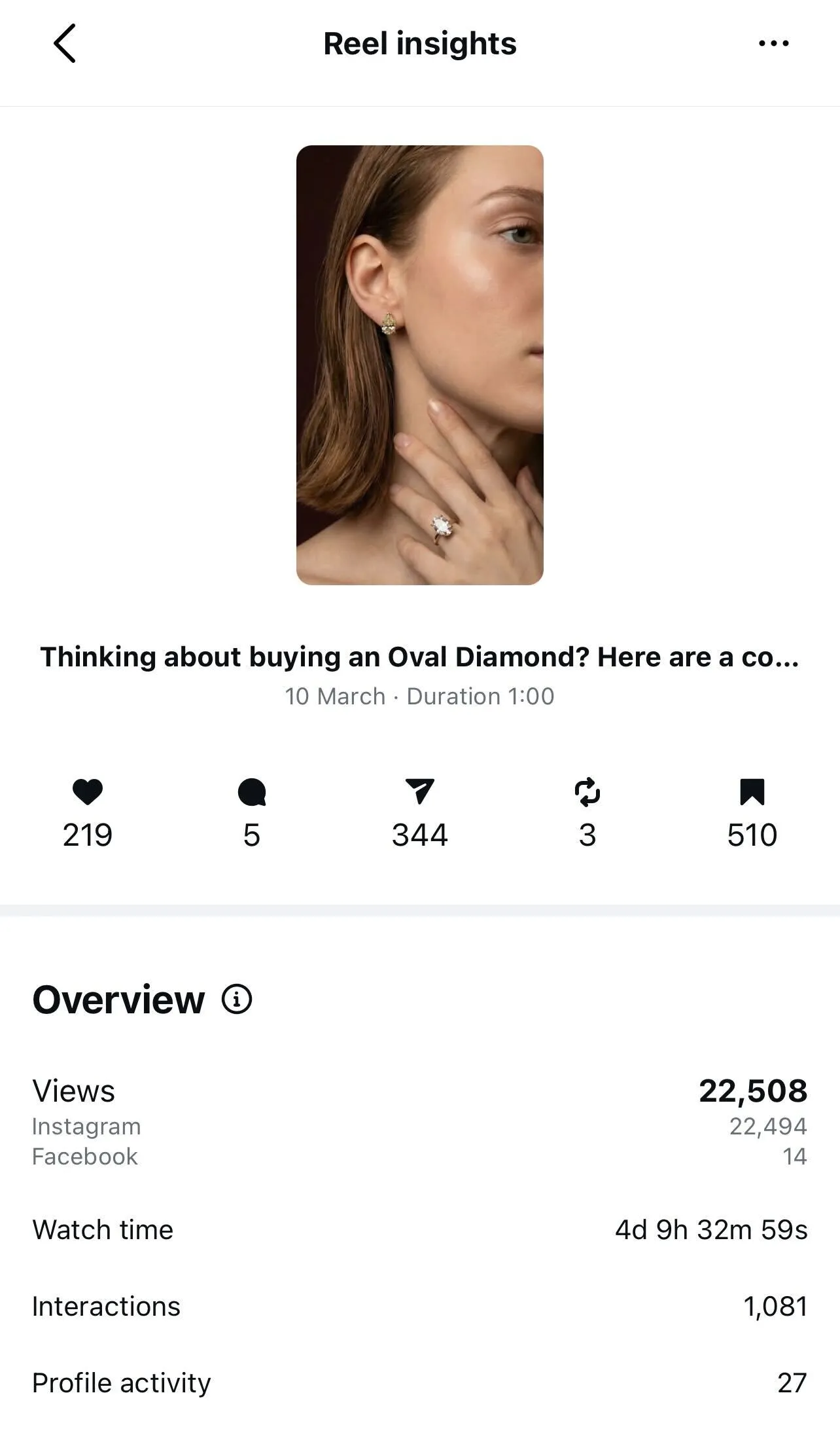
Official platform docs are useful because each platform defines its numbers a little differently. Meta explains Instagram Insights, TikTok shows creators how to read TikTok Analytics, YouTube documents how impressions connect to watch time and click-through rate, and Google Analytics explains how campaign URLs collect UTM data.
Which social media metrics should you track?
The right social media metrics depend on the job the content is meant to do. A brand awareness campaign, a customer-care account, a founder building an audience, and an affiliate marketing post should not all report success with the same scorecard.
Awareness
Reach, impressions, video views, follower growth, non-follower reach, share of voice, branded search lift, and profile visits.
Engagement
Saves, shares, comments, replies, reactions, DMs, mentions, and engagement rate. These tell you whether the content earned a response, not just a glance.
Video quality
Average watch time, completion rate, retention curve, rewatches, thumbnail impressions, click-through rate, and where viewers leave.
Traffic and conversion
Link clicks, click-through rate, website sessions from social, leads, sign-ups, trial starts, sales, revenue, cost per action, and conversion rate.
Community and service
Comments needing a reply, response time, resolution rate, sentiment, repeat commenters, customer questions, and recurring objections.
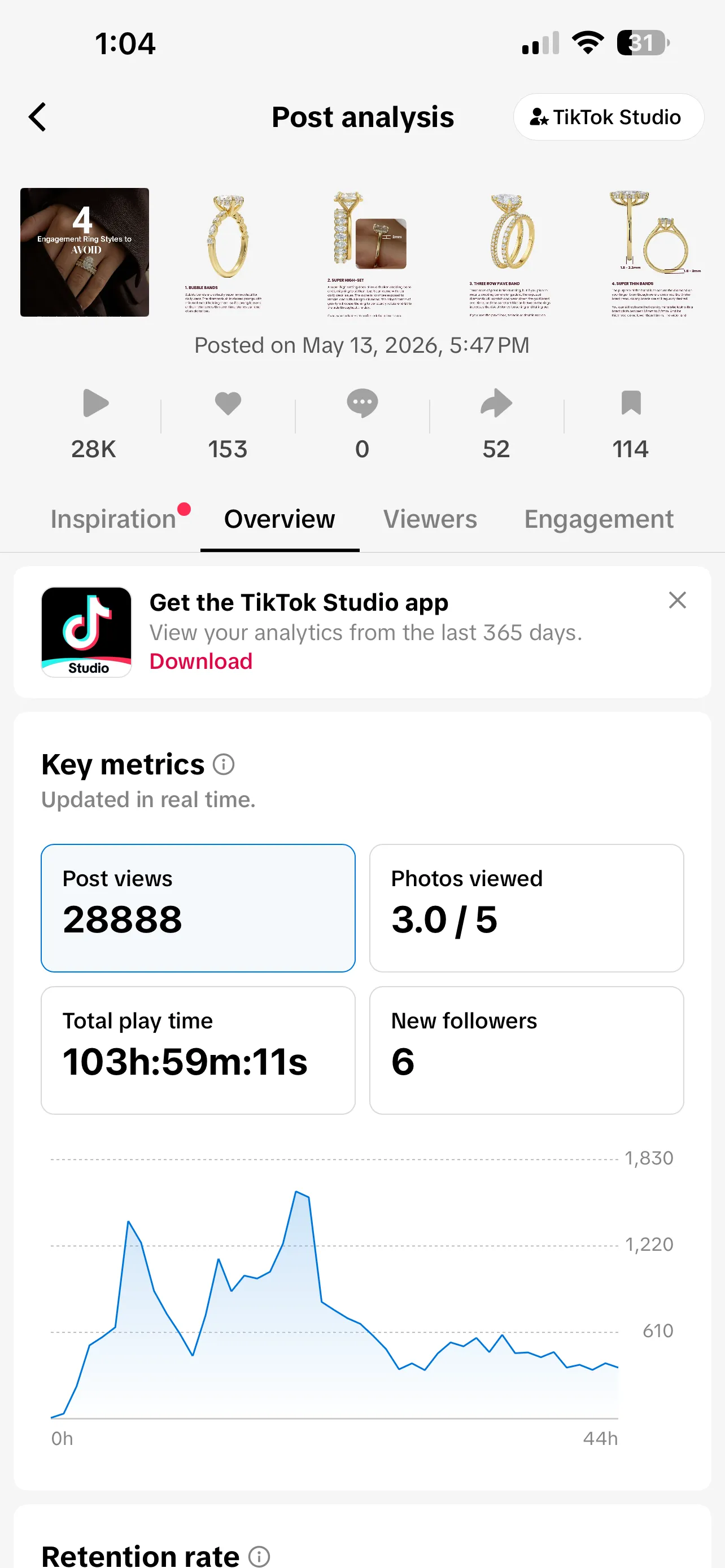
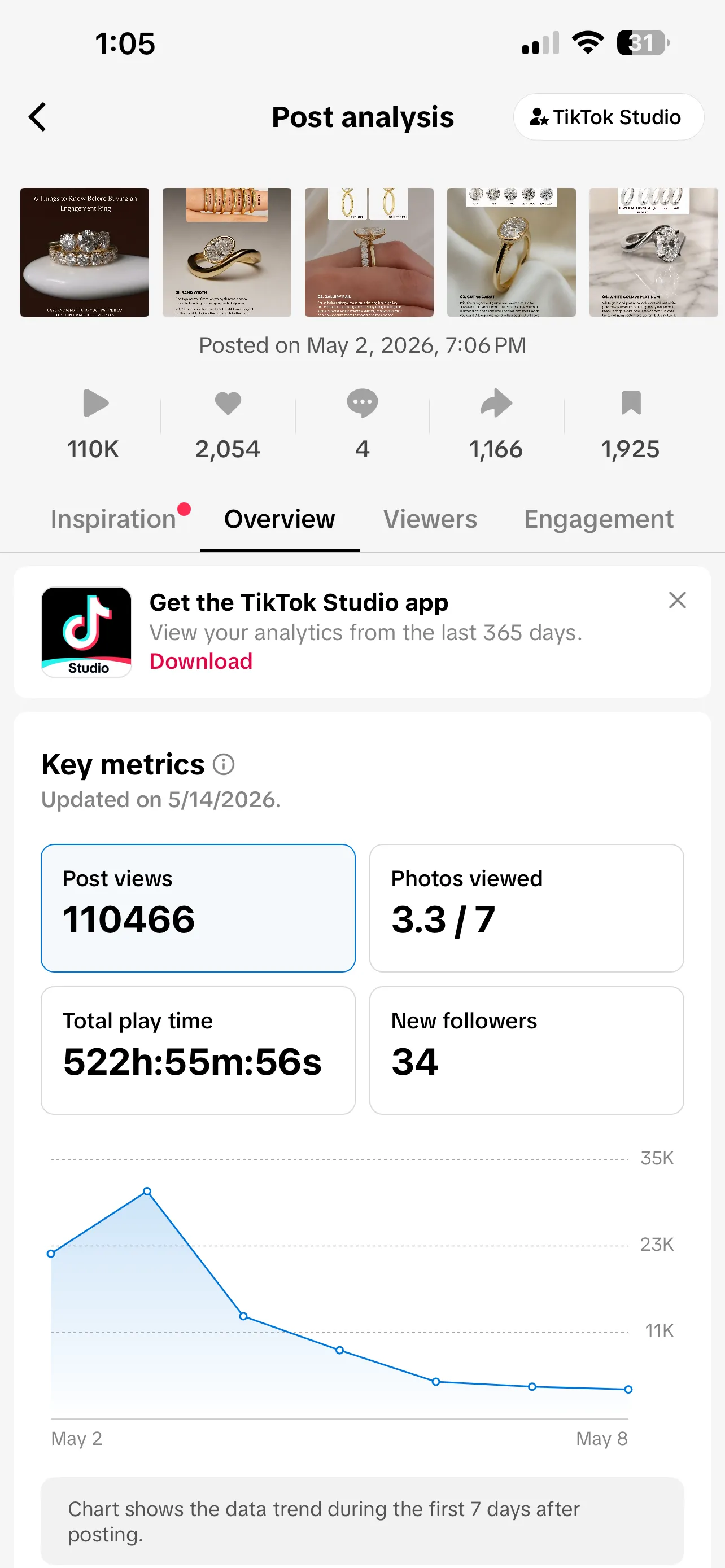
A small report can be stronger than a huge one. Pick one primary metric for the goal, then add two or three supporting metrics that explain why it moved. If every number gets equal billing, nobody knows what to do when the meeting ends.
What are the main types of social media analytics?
A helpful way to group social media analytics is by the question each type answers. You do not need an enterprise data team to use the pattern. You just need to move past the first chart.
Descriptive analytics. What happened? Reach rose, comments fell, the video held viewers for 18 seconds, or the LinkedIn carousel drove the most saves.
Diagnostic analytics. Why did it happen? The topic matched a current customer question, the hook was clearer, the post time changed, or the link was buried too late in the caption.
Predictive analytics. What is likely to happen if the pattern continues? A series may keep growing, a campaign may miss the lead goal, or short-form video may deserve more of next month's production time.
Prescriptive analytics. What should we do next? Repeat the format, rewrite the offer, move budget, update the calendar, brief a follow-up post, or stop forcing a theme that the audience keeps ignoring.
Most native dashboards are good at the descriptive layer. The harder work is diagnostic and prescriptive, because that is where a social media manager has to connect the number to the creative decision.
How do you use social media analytics?
The easiest analytics workflow is a loop, not a dashboard tour. Start with the goal, choose the metric before publishing, tag the links, let the content run long enough to get a fair read, then review the result while the work is still fresh.
- Write the goal in plain language: awareness, engagement, clicks, leads, sales, retention, community response, or learning.
- Choose one primary KPI and a few supporting metrics before the post goes out.
- Tag campaign links with consistent source, medium, campaign, and content values so web analytics can see what social sent.
- Compare similar posts by platform, topic, format, hook, audience, and date range rather than comparing everything with everything.
- End the review with a decision: repeat, revise, retire, redistribute, or test something sharper next time.
For a lighter starting point, use the free social media report template to group the metrics into a monthly summary. For teams that need to pull the same data into their own workflows, the EziBreezy API includes analytics endpoints for summaries, posts, demographics, integration health, and reports.
Do you need a social media analytics tool?
If you manage one account on one platform, native analytics may be enough. They are usually the closest source for platform-specific numbers, and they are the best place to learn what each network cares enough to expose.
A dedicated social media analytics tool starts to earn its keep when the work spreads out. Maybe you manage Instagram, TikTok, YouTube, LinkedIn, and Pinterest. Maybe the client wants one report instead of five screenshots. Maybe the team needs to compare campaigns across content pillars, export a PDF, or build a dashboard that combines social metrics with website conversions.
The tool should make the review clearer before it makes the report larger. Look for clean date ranges, platform-by-platform comparison, post-level detail, campaign tags, exportable reports, and enough context to show when a metric stopped updating because a platform connection needs attention. The best reporting habit still starts with a calendar, so your content plan and your results can talk to each other.
What mistakes should you avoid?
Most analytics mistakes come from treating the dashboard as a verdict instead of a conversation with the work. The numbers are useful, but they need context.
Reporting every metric because it is available
A giant export can look serious while hiding the point. Lead with the few metrics that match the goal.
Comparing unlike posts
A tutorial video, a launch announcement, a customer reply, and a meme are doing different jobs. Compare content that had a similar purpose.
Forgetting campaign tracking
If links are not tagged consistently, web traffic and conversions become hard to connect back to the post that caused them.
Reading one post as a whole strategy
One outlier can teach you something, but patterns across a series, platform, or month are more useful than one dramatic spike.
Stopping at the chart
Analytics should end with a next step. A report that says what happened but changes nothing is only a scrapbook with better fonts.
Social media analytics FAQ
What is the difference between social media analytics and social media metrics?
Social media metrics are the individual numbers, such as reach, impressions, saves, clicks, watch time, and follower growth. Social media analytics is the work of collecting those numbers, comparing them, and using them to decide what to do next.
What social media metrics should you track?
Track the metrics that match the job of the content. Awareness work needs reach, impressions, views, and follower growth. Engagement work needs saves, shares, comments, replies, and engagement rate. Traffic and sales work needs clicks, click-through rate, conversions, leads, revenue, and campaign-tagged website sessions.
Do you need a social media analytics tool?
You can start with native analytics inside each platform. A dedicated social media analytics tool becomes useful when you manage several accounts, need cleaner reports, compare platforms, track campaign tags, or share results with clients and stakeholders.
How often should you check social media analytics?
Check fast-moving signals, like replies, comments, and failed links, daily during active campaigns. Review post performance weekly, then do a deeper monthly report for trends, campaign outcomes, and the next round of content decisions.
What is a social media analytics report?
A social media analytics report is a plain summary of what happened across your channels, why it likely happened, and what you will change next. Good reports group metrics by goal, explain the context, and avoid dumping every available number on the page.