YouTube Question
Where Do You Find Scheduled Videos On YouTube?
Open YouTube Studio and go to Content, or in the YouTube app go to your profile picture and then Your videos. That is where you return to a scheduled upload and edit its visibility.
Short answer
The clearest place to find a scheduled YouTube upload is in your content list. Go to the Content page in YouTube Studio, or on mobile open your videos list in the app. There is not a separate public-facing scheduled queue. You go back to the upload inside your content library and adjust the visibility from there.
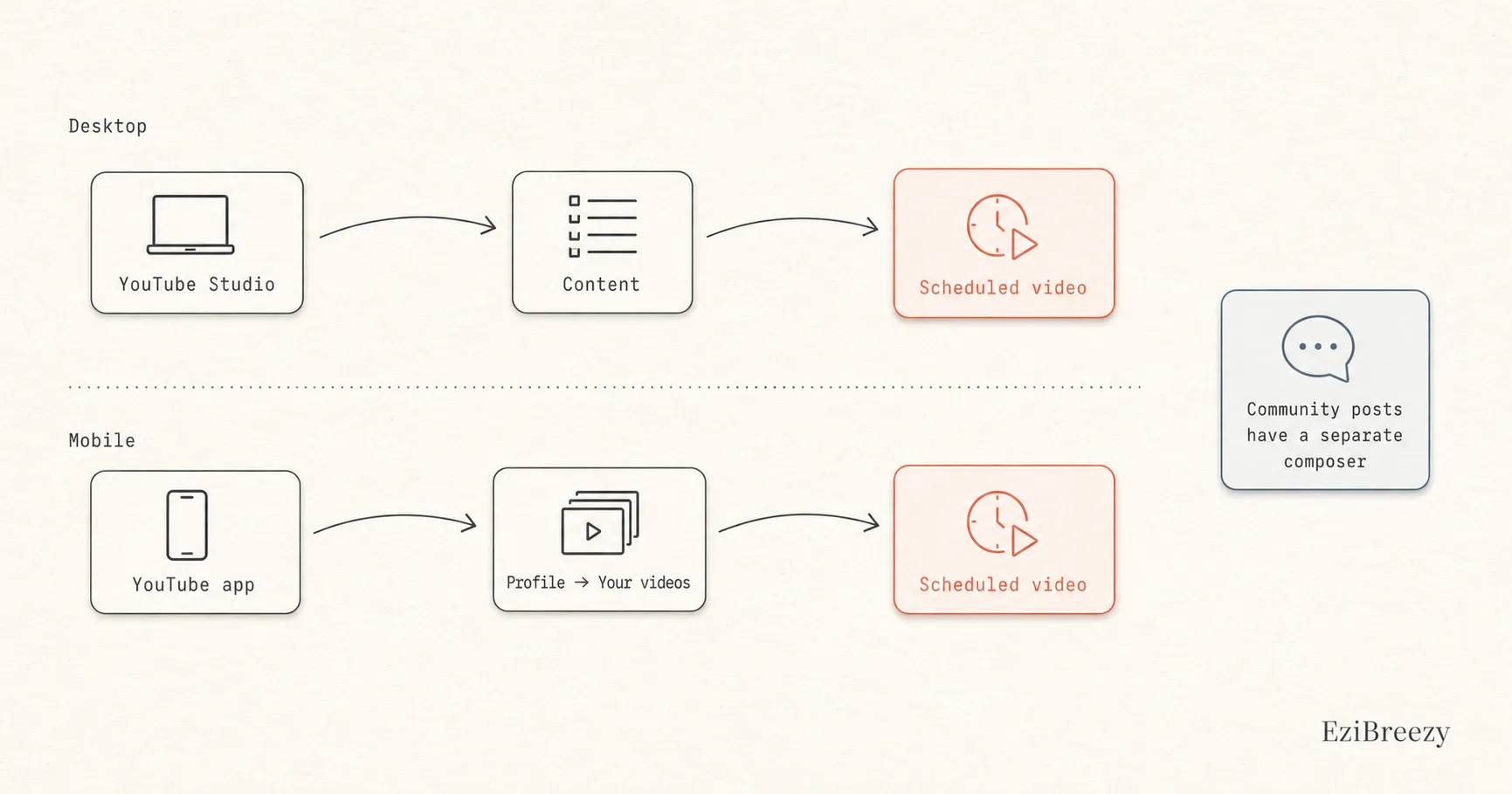
Where scheduled videos live in YouTube Studio
If you scheduled from desktop Studio, go back to YouTube Studio and open the Content page. That is where private, scheduled, draft, and published videos are managed. The scheduled video is not hiding in analytics or channel settings.
Once you open the video again, you can review the details, change the visibility timing, or publish sooner if needed.
Where to look on mobile
If you scheduled from a phone, the same logic applies. You are looking for the upload inside your videos library rather than a separate scheduling dashboard, then reopening it.
That is one reason the queue can feel harder to manage on mobile than on desktop. The content is there, but the workflow is less obvious when you are trying to check several uploads at once.
Why people search for posts when they really mean videos
Some people search for scheduled posts on YouTube when they really mean scheduled videos. Others may actually be thinking about Community posts, which YouTube handles through a different composer with its own scheduling option. The workflows are related, but they are not the same screen.
If your main job is managing video uploads, think in terms of the content library. If your main job is scheduling Community posts, you are in a different publishing flow.
Next step
Keep the YouTube queue somewhere easier to manage
Use a workflow where upcoming uploads are clearer, easier to review, and less dependent on hunting through the native content list.
See the YouTube workflowRelated links
Keep exploring the workflow
YouTube scheduler
Keep queued YouTube uploads in a workflow that is easier to scan and manage.
YouTube posting schedule guide
Use a clearer schedule so the queue is easier to review before publish day.
Social media report template
Review planned versus published uploads and turn the queue into a repeatable channel rhythm.
Related questions
Continue inside the YouTube cluster
How do you schedule YouTube videos?
Set the schedule correctly in the first place before you need to find the upload again.
How do you schedule YouTube videos on mobile?
Useful if the missing queue is really a mobile workflow issue.
Can you schedule YouTube Shorts?
Helpful if the scheduled upload is a Short rather than a standard video.